
Yes. Every ShowerStar alert can be switched off on its own. You can silence the sound and keep the lights, turn the lights off and keep the sound, or switch everything off.
Turning alerts off
- Open the ShowerStar App on your smartphone.
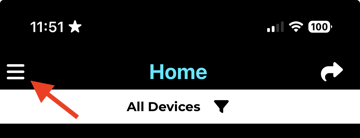
- Tap the menu icon in the top left of the home page.
- Tap Device List and connect to your device.
- Tap Edit Alerts on the Device Details page.
- Switch off the alerts you do not want. Each stage has its own toggle, so you can leave the ones you find useful switched on.
What changes when an alert is off
- Sound off, lights on. The shower stays silent and the LED still changes colour. This is the usual choice for households with a sleeping baby or a bathroom on a shared wall.
- Lights off, sound on. No visual cue, just a short tone at each stage.
- Everything off. The ShowerStar gives no prompt at all while you shower.
Your shower data keeps recording either way
Switching alerts off does not switch the device off. It still detects the water flow, times every shower and stores the log, so the water, energy and cost figures in your app stay accurate. The only thing that changes is whether you get nudged while you are in there.
Would adjusting them be enough?
If a dimmer light or a shorter tone would do the job rather than no alert at all, see How do I customise my ShowerStar Alerts? for brightness, duration and timing on each stage.
Need more help?
For more detailed guides on specific features, visit our Support Centre.