
Setting up your ShowerStar is quick and straightforward. You won't need any special tools—just the device and a few seconds.
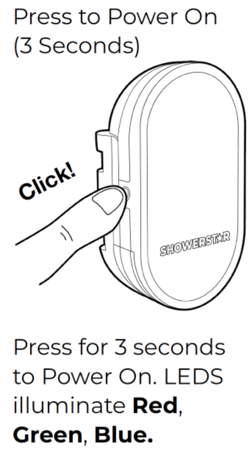
To power on the unit:
-
Locate the operation button on the front of your ShowerStar.
-
Press and hold the button for 3 seconds.
-
Watch for the lights—the LEDs will illuminate RED, GREEN, and BLUE in sequence.
Once these lights flash, your ShowerStar is powered on and ready to help your family save water and energy.
Note: You only need to do this during initial setup or after charging. For daily use, the ShowerStar features smart flow detection and will wake up automatically when the water runs.
If you'd like to watch a video instruction, please click ShowerStar Power On and Charging Instructions.
Still need help?
If the lights do not illuminate, your device may need charging. Please refer to our support materials or watch the instructional videos to verify your device is charged before trying again.