
You can personalise your ShowerStar experience directly through the mobile app. Whether you want to change your timer duration or alerts, the process is simple and takes just a few moments.
Accessing the Device Settings
To access the customisation options:
- Open the ShowerStar App on your smartphone.
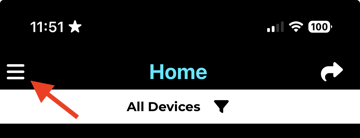
- Tap the Home Settings icon (hamburger icon, top left) on the home page.
- Tap Device List and Connect to your device.
- Tap Edit Alerts on the Device Details page.
- Customise the alerts as you wish.
What you can customise
Once in the settings menu, you can adjust the following features to suit your household's needs:
- Alerts:
- Water flow detection (Blue LED flash).
- Start: LED alert and sound alert.
- Half-Time: LED alert and sound alert.
- Full-Time: Sound Alert, LED brightness, and flashing duration.
- Over-Time: Alerts, LED brightness, flashing duration, and frequency.
- Set an additional option for the Double Time flashing LED and pre-alerts.
If you'd like to watch a video instruction, please clickShowerStar - Customizing settings.
Need more help?
For more detailed guides on specific features, visit ourSupport Centre.